FineReader has been around for some time, originally developed with a focus on Optical Character Recognition (OCR) for scanned documents but now includes DocLang exports and containerisation support.
In my previous blog post I introduced the concept of DocLang, an open specification for how documents are represented in a machine-readable format optimised for AI consumption. At the end of the post I suggested FineReader as the tool of choice for creating DocLang compliant output.
Today’s post answers the question:
Why is FineReader a top contender for generating DocLang output at scale?
FineReader supports a range of document handling processes:
- Data extraction – Extract text, objects, and other useful document data into structured formats.
- Document conversion – Convert documents into editable formats.
- Document archiving – Process paper documents for electronic archives.
- Text extraction – Extract all document text, including non-body content.
- Field-level recognition – Capture data from small text fragments or document fields.
- Barcode recognition – Read and process barcodes.
- Business card recognition – Convert business cards into electronic data.
- Machine-readable zone capture – Extract and export data from MRZs, such as passport zones.
- Document classification – Categorise documents using user-defined categories and a pretrained database.
- Document comparison – Compare documents or pages to identify errors and intentional changes.
- Scanning (Windows) – Acquire images from scanners and process them.
FineReader allows the user to select from pre-defined profiles or create their own. Profiles control pre-processing, recognition, document analysis, and export settings. This makes it easier to apply consistent processing rules and generate reliable DocLang output across large volumes of documents.
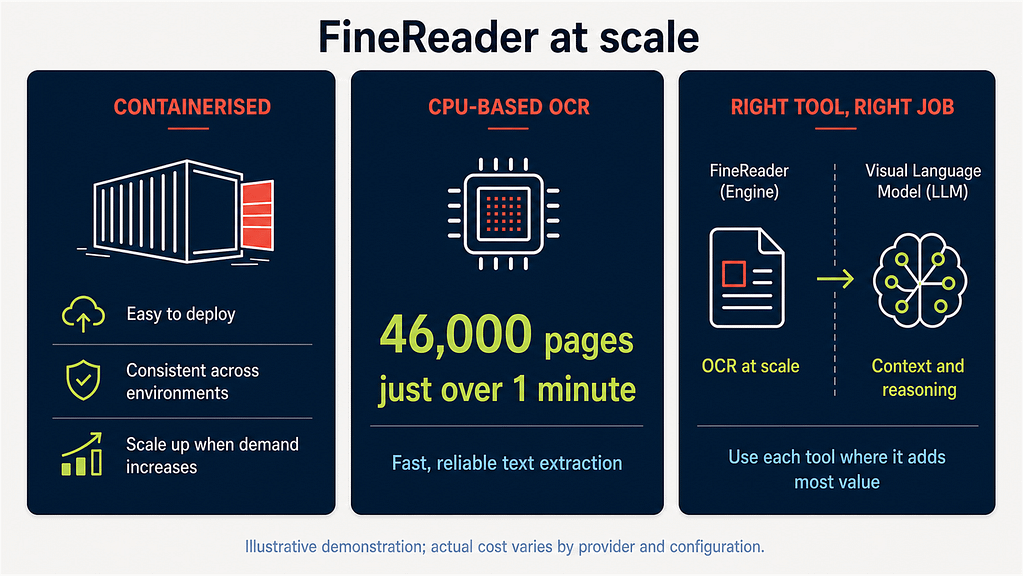
Containerisation makes FineReader easy to install, move, and, most importantly, scale. For large workloads, its CPU-based processing can be more cost-effective than GPU processing because it runs on standard computer hardware rather than requiring expensive specialist equipment. It is also very fast: in one demonstration, FineReader processed 46,000 pages in just over a minute with an estimated compute cost of around £0.20. Actual costs will vary depending on the cloud provider, configuration, and workload, but this illustrates the potential efficiency of CPU-based OCR at scale.
GPU processing is commonly used by AI models such as visual language models, which can understand document context and answer questions. FineReader takes a different approach, using standard CPU infrastructure to perform fast, consistent processing at lower cost.
Ultimately, it is about using the right tool for the right job: FineReader for fast, reliable document processing, and AI models for deeper understanding and reasoning.